Desktop Tools
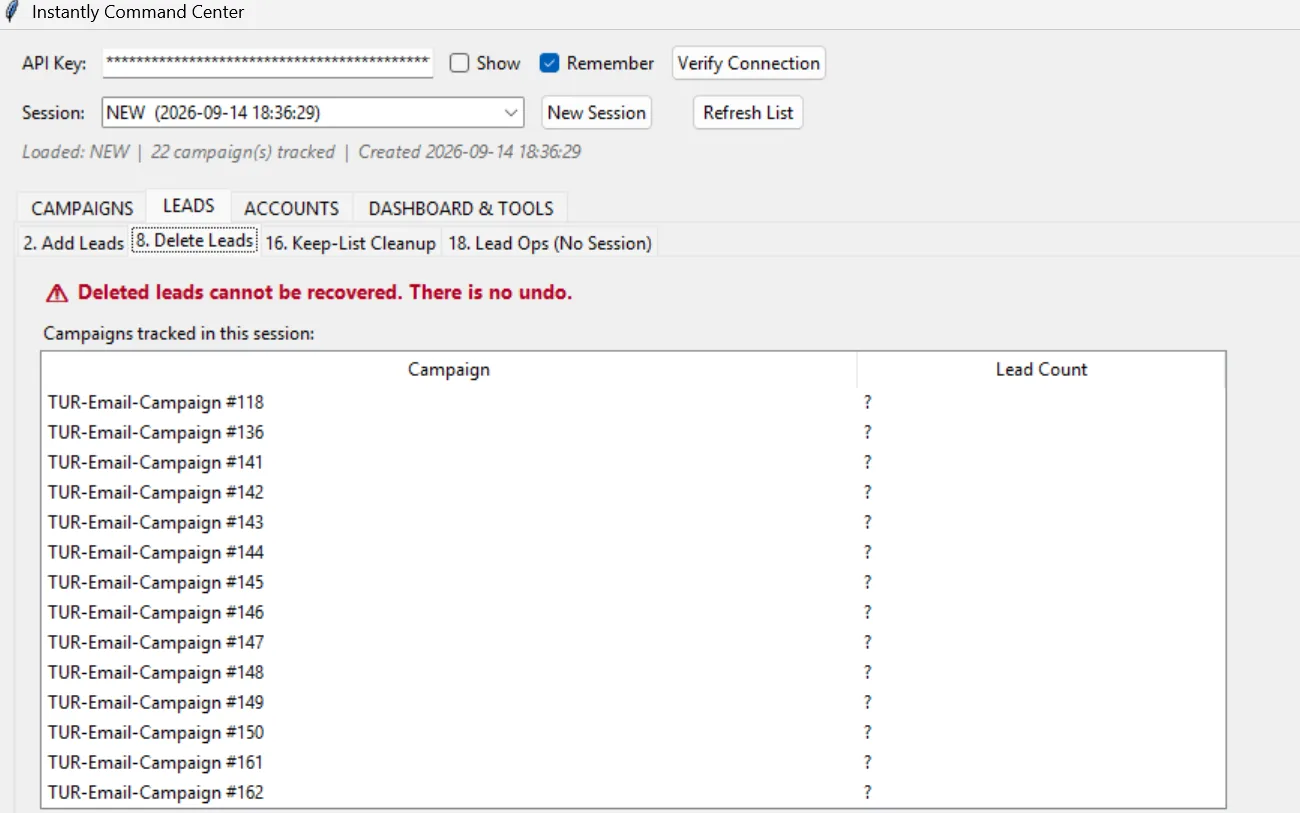
Lean desktop applications for tasks that need to run locally, fast and across large amounts of data at once.
The problem
Some tasks don't belong in a browser: large datasets, local files or bulk actions across many accounts. Your team spends hours clicking through web interfaces that were never built for that kind of work.
What is included
- Analysing the task and choosing the right technology
- An interface tailored to your workflow
- Bulk editing, import and export of large datasets
- Connections to web APIs and online services
- Local data storage with backups
- Installer for Windows and, on request, macOS
What you get
- An installable desktop application
- Source code and build instructions
- User guide
- Update plan for new versions
Process
How it works
- 01
Understand the task
We clarify which steps the tool should take over or speed up.
- 02
Prototype
A first version shows the interface and core function with real data.
- 03
Build
We complete all features and test with large datasets.
- 04
Ship
You get the installer, a guide and ongoing support if you want it.
Examples
Related projects and demos
FAQ
Questions about this service
Why a desktop app instead of a web app?
When data needs to stay local, large volumes are processed or offline work is required, a desktop tool is often the better fit. We'll tell you honestly which option makes more sense.
Which operating systems do you support?
Windows is the default. macOS and Linux are possible depending on the technology.
How do updates reach users?
We ship new versions as installers or build in an automatic update function.
Software & Apps
More services in this area
Intro call
Desktop Tools – let’s get started.
In a free intro call we clarify what you need, what it costs and when it will be done. No sales pressure.